
Ace every exam. Only you can see how.
LockDown Browser can only see what your PC shows it. AceMaker isn't in that view.
Three frontier models. Four-second answers.
Built for every written and multiple-choice section. Purpose-engineered for every modern exam environment in use today.
Windows 10+ · No credit card required · 10 free AI answers to try
ImportantWin11 first time?One-minute setup— unlocks System-Level Stealth before exam day. Surface apps can't go this deep. Restart once if Windows asks.
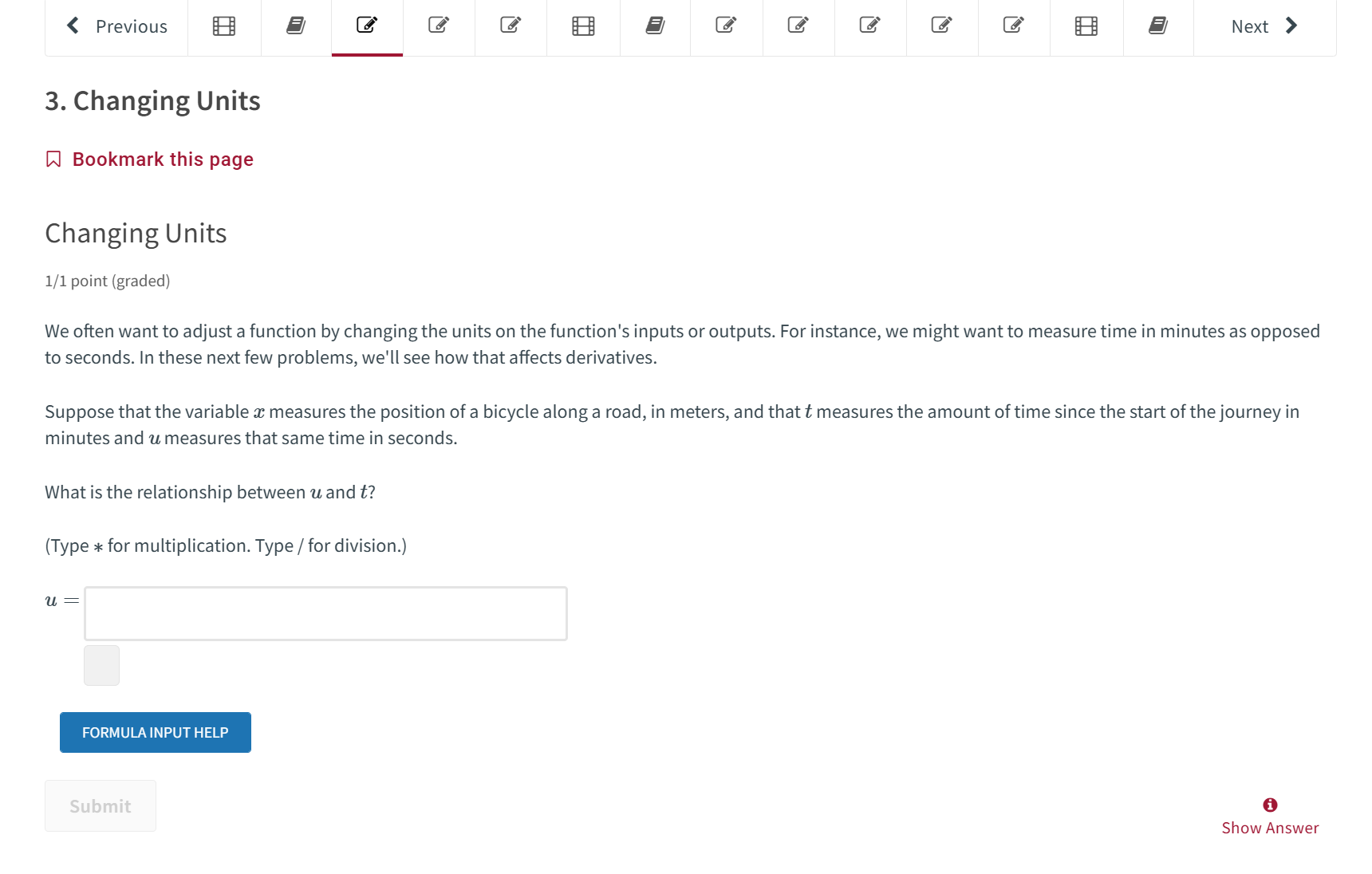
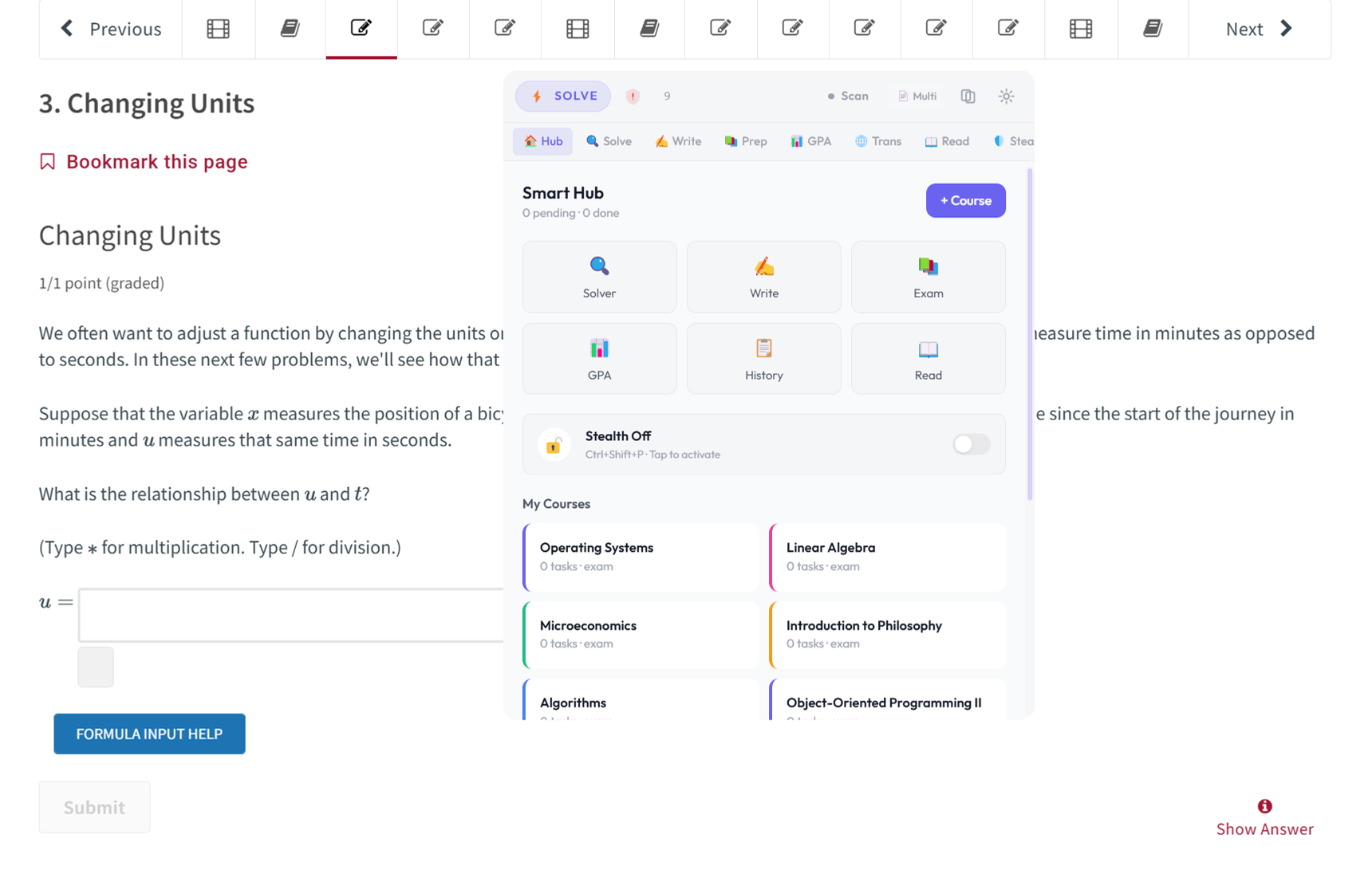
Drag to compare — your screen vs. what everyone else sees
Don't watch a screenshot. Drive the app.
Capture a question. Write a sentence. Drag a grade until the GPA moves. This is the real AceMaker overlay — play with it.
GPA Dashboard
LockDown Browser runs on your computer. It doesn't get a view from above.
It can check what's on screen and what's running — whatever Windows will show it. AceMaker doesn't show.
A new version can check more. It still looks from inside the same machine. That's why this holds.
You see
AceMaker
The answer, only on your side.
They see
A normal desktop
Imagine this.
You're preparing for a high-stakes exam. You open a practice set and hit a question you can't crack. You press a hotkey — a screenshot captures the question. Two seconds later, the full solution appears right on your screen, every step explained.
You understand the method. You move on to the next one, faster and more confident.
When a similar question shows up on test day, you already know exactly what to do. And AceMaker AI will still be right there on your screen — invisible to everything except you. Just in case.
That's AceMaker AI.
The Exams Where A's Pay You Back.
Some exams quietly decide the next decade of your income. A 10-point jump on the GRE is the difference between a rejection and a full scholarship. A passing CLEP score saves you a semester of tuition. A 7.0 IELTS is the line between getting your visa and starting over.
AceMaker AI isn't a generic homework tool. It's trained on academic and standardized test content — and when you need absolute certainty, it cross-verifies the primary answer with two verifier models.
One tool. Every A you'll ever need.
Built for the sections where points actually swing.
AceMaker AI covers every multiple-choice, fill-in, numerical, and written section across the exams below — the parts where most of your score actually lives.
Listening and speaking sections rely on live audio capture and are not in scope. AceMaker focuses on the reading, writing, quant, and written-response portions — where the majority of your score is decided.
One tool. Every written and multiple-choice section. Every score that matters.
Three Tool Categories. Only One Built For This.
Browser plugins live inside the browser. Meeting AIs were built for sales calls. Built-for-exams is its own category — and there's exactly one entrant.
Overlay apps hide a window. AceMaker isn't in the view LockDown Browser gets from your PC. That's a different thing.
Study the material that matters. Verify every answer. Actually remember it.
Four Tools. One Goal: Your A.
Snap. Solve. Verified.
Capture any question — from calculus integrals to organic chemistry mechanisms. A primary solver generates the answer, and two verifier models cross-check it for higher confidence.
Everything You Need to Dominate Every Class.
Always on. Always ready. Whether you're reviewing notes, working through a problem set, or in the middle of anything important.
Invisible AI Solver. One Hotkey. Full Solution.
Screenshot any question — formulas, graphs, code, handwriting, multi-page problems. Get the answer with full working in seconds. The whole time, it's invisible to everyone but you.
Solve · Learn · Deep — Three Modes for Every Situation.
Solve mode: fastest route to the answer. Learn mode: progressive hints that build real understanding. Deep mode: extended analysis where two verifier models cross-check the primary answer. For when being wrong isn't an option.
Smarter Than Using ChatGPT Alone.
ChatGPT gives you one model's best guess. AceMaker AI gives you a primary solver plus two verifier models. One model can hallucinate — independent verification is a different level of confidence.
Invisible to LockDown Browser.
LockDown Browser can only see what your PC shows it. AceMaker isn't in that view — not on your screen capture, not in theirs. Threat Radar tells you when monitoring is live.
GPA Dashboard — Know Exactly Where You Stand.
Live GPA calculation, "What-if" simulator for every assignment, priority ranking by GPA impact, and deadline radar across all courses. Also tracks your CLEP credit progress. Your GPA isn't luck — it's strategy.
Real-Time Reading Companion.
Digests your reading as you read — in real time, as an overlay. Under 1 second: page captured. ~2 seconds: key terms + summary. Every 3 pages: concept cards, exam questions, flashcards. Read once. Actually remember it.
Same Effort as ChatGPT. Reads Like You Actually Wrote It.
You don't have time to write the essay — that's why ChatGPT exists. The problem: Turnitin's AI Writing Detector now catches generic ChatGPT in 10 seconds, and your professor catches the vocabulary jump from your last paper in 30. AceMaker AI is the same one-click workflow (paste prompt, generate, copy, submit) but the model trains on YOUR past assignments first. Sentence rhythm, vocabulary, the way you start paragraphs — all yours. Same 5 minutes of effort. Reads like you actually sat down and wrote it.
Instant Academic Translation.
Screenshot any English academic content, get it in your native language with term-level explanations. Essential for TOEFL/IELTS prep when you need to understand, not just translate.
Works alongside any desktop application
If it's on your screen, AceMaker AI can read it. No matter what's running.
How To Get Your A. In Three Steps.
Launch and Settle In
Start AceMaker and it lives in the background as a calm little sidekick. One hotkey brings it up when you need help. Another tucks it away. No clutter. No noise.
Snap Any Question
Press your hotkey to grab whatever's on screen — formulas, graphs, code, handwriting, multi-page problems. The primary model works out the solution, and two verifier models cross-check the answer.
Get a Step-by-Step Solution
The solution appears right on your screen — worked out step by step and cross-verified. Launch the Write Coach for essays, check your GPA dashboard, or keep studying. AceMaker stays quietly on hand for the next thing.
Students use AceMaker AI for
Simple plans. Real study horsepower.
Start free. Exam Semester covers this term through finals. no refund after use.
Free
No credit card required
Try it before you buy.
Get the desktop app and explore the core workflow.
- 3 free AI answers per day
- +15 bonus answers your first month
- All frontier models — GPT, Gemini, Claude
- Reading Digester — 5 pages
- GPA Dashboard — 1 course
- No credit card required
Study
Everyday study for one course at a time.
Everything in Free, plus…
- About 30 answers / day · enough for daily homework
- Reading Digester — 15 pages / day
- GPA Dashboard — all courses
- Writing Coach — 20 essays / month
- Learn Mode + Spaced Repetition
Exam
Exam day. System-Level Stealth included.
Everything in Study, plus…
- About 30 answers / day · with Triple-Model Verification
- Frontier models (Claude Sonnet, Gemini Pro)
- Reading Digester — 30 pages / day
- Writing Coach — 80 essays / month
- GPA What-If + AI planner
- System-Level Stealth
- Priority support
Beats the second camera. Built for high-stakes test day.
Camera-Blind Minimal Window renders answers below the JPEG quantization threshold at 1.5 m — the phone camera sees compression noise, you see the letters cleanly. Engineered for ETS GRE At Home, TOEFL iBT Home, IELTS OnVUE, and Pearson VUE second-camera proctoring.
Elite
Beats the second camera. Built for standardized exams.
Everything in Exam, plus…
- Camera-Blind Minimal Window — evades second-camera proctoring
- Works with ETS GRE At Home, TOEFL iBT Home, IELTS OnVUE, Pearson VUE
- About 50 answers / day · with Camera-Blind Window
- Live Listening & Speaking suite
- Live transcript history
- Top-tier reasoning models on demand
- Priority setup support — we help you position the second camera
Camera-Blind Mode is opt-in and requires the user to position the second camera at the desk-side angle ETS/IELTS specify. Toggle with ` × 2 (backtick twice) or Ctrl+Shift+B. See FAQ for setup. Most standardized-exam users need 1–2 months — subscribe, ace it, cancel anytime.
Need more one-off? Buy a $5 top-up pack (200 extra answers) any time from inside the app.
Questions? Answered.
No. AceMaker is a native Windows app — not a browser extension, not a tab. LockDown Browser and similar tools can only see what your PC shows them. AceMaker isn't in that view.
No. The app window is automatically excluded from all screen captures, recordings, and shares at the system level.
Yes. LockDown Browser locks the browser. AceMaker is not in the browser, and it does not show up in the view those tools get from your PC. Turn System-Level Stealth on before LockDown starts.
They're still an app on your computer. They can add checks. They can't step outside the machine and see everything. Turn System-Level Stealth on before the exam app starts.
Yes — including the at-home versions with mandatory second cameras. AceMaker AI handles quantitative reasoning, verbal comprehension, analytical writing, logical reasoning, and reading passages. In Deep mode, three AI models cross-verify every answer for maximum accuracy on high-stakes questions. For TOEFL iBT Home, GRE At Home, and other second-camera formats, AceMaker's Camera-Blind Subtitle Mode renders the answer strip in a physics-tuned color that's comfortably readable at desk distance but falls below the JPEG quantization threshold at 1.5 m — the phone camera sees compression noise, you see the letters cleanly. See the "Does it work with a second camera?" FAQ below.
Yes. Camera-Blind Subtitle Mode is engineered specifically for second-camera setups. Seven layered techniques: (1) adaptive background-matching text color (bg ± 14 luma, calibrated to survive JPEG q=85 chroma sub-sampling), (2) sub-pixel halo that's crisp to your fovea but below the phone camera's sample period at 1.5 m, (3) Perlin-noise overlay tuned to match JPEG block-quantization noise, (4) sub-pixel displacement warp that a human at desk distance parses trivially but OCR/human proctor reviewing footage cannot, (5) no confidence-dot cluster or middle-dot separators (those were consistent shape signatures cameras picked up), (6) pixel-precise strip sizing so there's no background container to find, (7) auto-anchor to the screen corner OPPOSITE your camera side. Toggle with `` ` × 2 `` (backtick twice) or Ctrl+Shift+B. Works on the same machine — no external hardware, no HDMI trickery.
Yes. Upload your study materials, generate a course summary and mock exam, then use the spaced repetition system to lock in retention. Many students use AceMaker AI to test out of gen-ed courses entirely.
Short answer: no, because they're not really "AI essays" the way detectors are trained to catch them. Turnitin's AI Writing Detection is trained on millions of generic ChatGPT samples — same predictable vocabulary, same sentence structure, same rhythm. AceMaker AI works the opposite way: it trains on YOUR past assignments first, so the output sounds like YOU on a focused night, not like anyone else's first ChatGPT draft. Same one-click workflow as ChatGPT (paste prompt, generate, submit), completely different fingerprint. Pre-submission preview shows the predicted Turnitin / GPTZero / Originality.ai scores before you turn it in, with a one-click humanize pass if anything spikes.
In Deep mode, AceMaker AI cross-verifies using GPT-5.4 mini, Gemini 2.5 Pro, and Claude 3.5. When three frontier models converge on the same answer, confidence is very high. For math, it also runs independent verification steps.
All screenshots, answers, and study data are stored locally on your machine. Nothing is uploaded to any server.
AceMaker AI is an academic study tool. It includes Learn Mode for building genuine understanding, FSRS spaced repetition for long-term retention, and knowledge graph tracking for identifying weak areas. Users are responsible for using the tool in compliance with their institution's academic integrity policies.
All paid plans are non-refundable once you use any included credits or premium features — AI queries, reading pages, writing sessions, or live audio all count as use. You can cancel anytime to stop future renewals; that does not refund the current billing period. Verified billing errors (duplicate charge, wrong plan) can be fixed if you email support within 30 days. See our Refund Policy page for full details.
Whether it's a Tuesday quiz or the GRE — you'll be ready.
Free download. Full access for 3 days. No credit card. AceMaker AI stays on your screen while you work — just in case you need it.
Windows 10 and later · macOS support coming soon